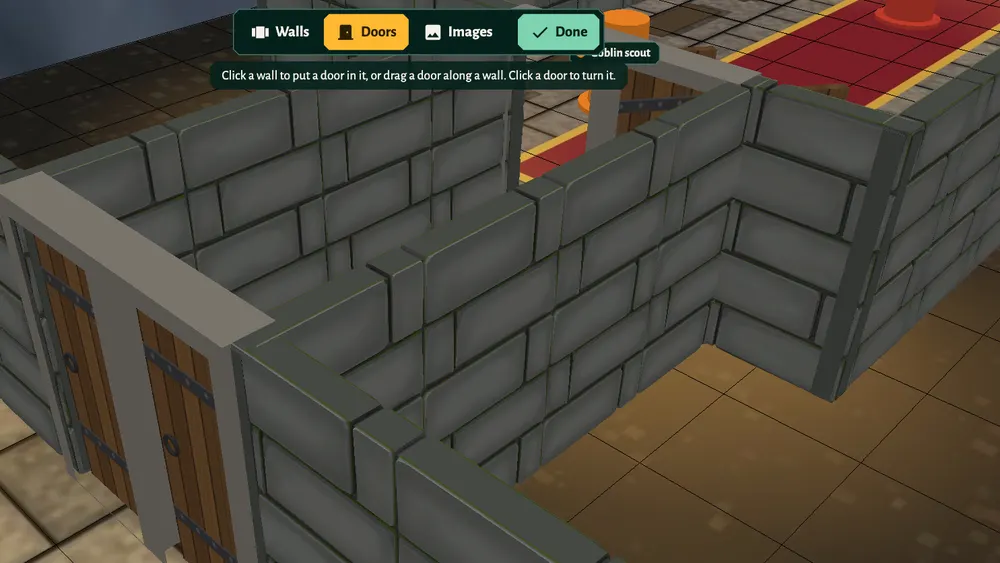
Walls in Dungeons are real 3D stone walls. They do two jobs at once: tokens can't walk through them, and nobody can see through them, so they shape the fog of war without any extra work. Doors do the same while they are closed.
Only the host can draw walls and doors.
Draw walls
- Click Edit Map on the right. A bar opens at the top of the screen.
- Pick Walls, then one of the tools:
- Room: drag on the floor to draw a closed room.
- Corridor: drag on the floor to draw a corridor 2 squares wide.
- Line: click to place wall points one at a time. Click the first point again to close the room, or right-click (or press Esc) to end the wall where it is.
- Click Undo, or press Ctrl+Z (⌘Z on a Mac), to take back the last change.
- Click Done when you are finished.
A quick way to build a dungeon: drag out the rooms with Room, link them with Corridor, then add doors where they meet.
To change a wall later, open Edit Map, Walls and drag one of its points. Right-click a point and choose Remove Wall to take it away.
Add doors
- Click Edit Map, then Doors.
- Click a wall where the door should go. The door fits itself into the wall.
- To move it, drag it along the wall. Click a door to turn it.
- Click Done.
Right-click a door and choose Remove Door to delete it.
Open and close doors
Outside Edit Map, click a door to open or close it. It swings open for everyone in the room at once, and the fog of war updates as it moves: players see into the next room as soon as the door opens.
Players can't open doors themselves, so the host stays in charge of what's behind each one. When a player says they open the door, click it for them.
Movement
Player tokens stop at walls and closed doors. A token can stand in an open doorway and look round the door frame. As the host your own tokens pass through walls, unless you set the fog to Solid under Lighting (see fog of war).
Walls on top of a map picture
If you use a drawn battle map as the floor (see maps), trace its walls with Line or Room so that sight and movement follow the picture.